
Jackpotjoy Mobile App: Download, Features and How to Play on Your Phone
Jackpotjoy is one of the UK’s longest-running bingo brands, and its free mobile app puts bingo rooms, slots and daily free games right in your pocket. This independent review covers how the Jackpotjoy app works on iPhone, iPad and Android, how to download it, and what the mobile experience is actually like.
How good is Jackpotjoy on mobile?
Short answer: very good. Jackpotjoy offers a free native app for both Apple and Android devices, plus a fully optimised mobile browser site, and one review lists the iOS app at 4.7/5 from over 32,000 ratings with the Android version at 4.3/5 from more than 15,500 ratings. The app hosts mobile bingo, top slots and daily free games.
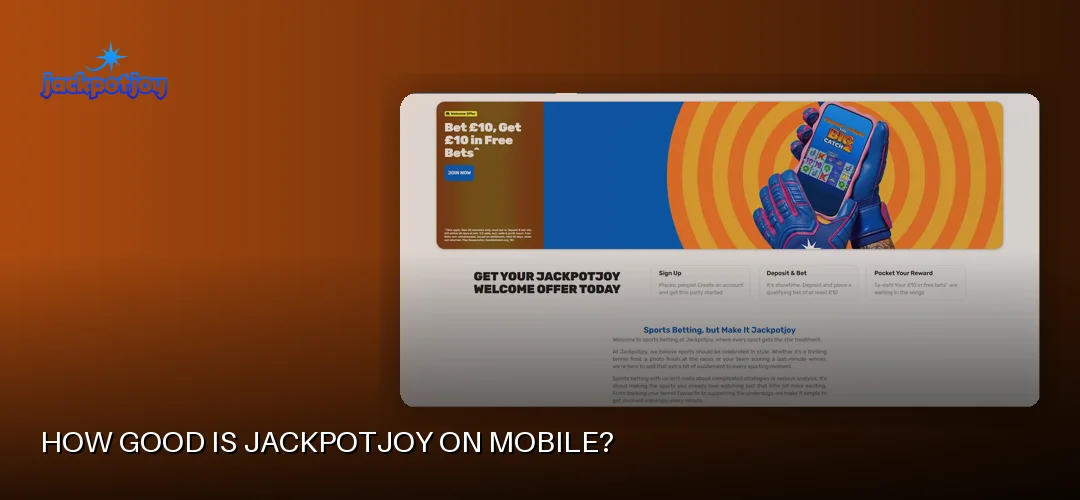
The Jackpotjoy mobile app is a genuine native app, not just a wrapped website. On iOS it sits at around 91.3MB, which is light enough for most phones, and the interface has clearly been designed for thumbs rather than a mouse. Bingo tickets, slot reels and the lobby all scale properly to smaller screens.
If you’d rather not install anything, the mobile browser version of the site works well too. You log in through Safari or Chrome and get the same account, balance and game library. The main difference is that the app adds push notifications and quicker one-tap access.
The Jackpotjoy bingo app side of things is arguably the strongest part of the mobile product — rooms for 75-ball, 80-ball and 90-ball bingo all run on mobile, alongside Slingo, slots, scratchcards and live casino tables. For a closer look at the reel-based side of the library, see Jackpotjoy slots.
Trust signals carry over to mobile as well. Jackpotjoy holds a UK Gambling Commission remote operating licence, number 38905, issued to Gamesys Operations Limited (part of Bally’s Corporation), and the brand has been running since 2002.
How do I download the Jackpotjoy app?
Downloading the Jackpotjoy app is free and takes a couple of minutes: iPhone and iPad users get it from the App Store, while Android users download it from Google Play or via the operator’s APK route. No promo code or payment is needed to install it.
Jackpotjoy app for Android and APK download
For the Jackpotjoy app for Android, the standard route is the Google Play store — search for Jackpotjoy, tap install and you’re done. Some players prefer the Jackpotjoy android app download APK option, which the operator supports as an alternative way to get the app directly. If you go down the APK route, only ever use the file provided through Jackpotjoy’s own site rather than third-party APK mirrors, as those can be tampered with.
When installing via APK, your phone will ask you to allow installations from that source. Once installed, the Jackpotjoy casino app behaves like any other app on your device.
Jackpotjoy app for iPhone and iPad
Apple users have it simplest: open the App Store, search for Jackpotjoy and tap “Get”. The Jackpotjoy app for iPhone and the Jackpotjoy app for iPad are the same download, and the layout adapts to the bigger tablet screen nicely — handy for bingo, where a larger view of your tickets makes a real difference.
Installation and requirements
- The app is a free download on both platforms — there is no paid version and no “premium” tier.
- The iOS app is roughly 91.3MB, so make sure you have a little storage free.
- You’ll need a reasonably recent version of iOS or Android; very old handsets may struggle.
- Location and identity checks apply on sign-up, as required for UK-licensed operators.
- You must be 18 or over to register and play.
Jackpotjoy app features and functionality
The Jackpotjoy mobile app packs in bingo, slots, Slingo, arcade and instant games, table games and live casino, with touch-friendly controls throughout. Push notifications keep you posted on bingo session times, promotions and account activity.
Games on mobile
Mobile players get the full spread of what Jackpotjoy offers: online bingo in 75-ball, 80-ball and 90-ball formats, a big slots library, Slingo, scratchcards and instants, plus table games and a live casino. Providers powering the catalogue include Evolution, Gamevy, Inspired Gaming and Pragmatic Play, and the flagship slot Double Bubble from Roxor Gaming plays smoothly on a phone. Demo and free play options are available, so you can try games without staking real money, and there are daily free games built into the app.
Mobile-only touches
- Push notifications: opt in for alerts about upcoming bingo sessions, new promotions and account updates.
- Touch controls: daubing bingo tickets and spinning reels feels natural on a touchscreen.
- Daily free games: free-to-play games are accessible straight from the app lobby.
- Live chat: free in-app live chat support is available 24/7, alongside email support.
New members can claim the welcome offer on mobile too: Play £10, Get £30 of Free Bingo* or Play £10, Get 100 Free Spins** on Fishin Frenzy The Big Catch 2 (1p coin size, 10 lines). New members only, must opt in. Not valid with other Welcome Offer(s). Min £10 deposit & £10 wager on slots game(s) (or on bingo for the bingo offer). 30 day expiry from deposit. Play Responsibly. GambleAware.org. 18+.
How do I log in to the Jackpotjoy app?
Logging in to the Jackpotjoy app is straightforward: open the app, tap the login button on the mobile login page and enter your usual username and password — the same credentials you use on the desktop site. UK players use the same account across app, mobile browser and desktop.
Jackpotjoy app login for Android and iPhone
The Jackpotjoy app login for Android works identically whether you installed via Google Play or the APK: your details sync across every device, so there’s no separate “app account”. The same applies on iPhone and iPad — one login, one balance.
Biometric login and troubleshooting
On supported phones, biometric login via fingerprint or Face ID makes getting in much quicker than typing a password each time — worth switching on in the app settings. If the Jackpotjoy app won’t work on your phone or you suspect the app is down, try these fixes:
- Check your internet connection and try switching between Wi-Fi and mobile data.
- Update the app — older versions can stop working after site updates.
- Restart your phone and clear the app cache on Android.
- If the login page rejects your details, use the password reset option rather than guessing repeatedly.
- Failing all that, the 24/7 live chat team can check whether there’s a wider outage.
Mobile deposits and withdrawals at Jackpotjoy
You can handle all your banking inside the Jackpotjoy app: deposits via Visa Debit, Visa Electron, Mastercard (Debit), Apple Pay and Google Pay start from £10, and withdrawals — including via Apple Pay and Bank Transfer — are processed within 4 to 24 hours. Credit cards are not accepted, in line with UK regulations.
Depositing on mobile
Apple Pay and Google Pay are particularly handy on a phone because they skip the card-number typing entirely. Minimum deposit is £10 across methods, with maximums of up to £10,000 per transaction on debit cards and Google Pay and up to £5,000 on Apple Pay.
Jackpotjoy withdrawal time with Apple Pay and other methods
Jackpotjoy aims to process withdrawal requests within 4 to 24 hours, and pending requests are usually processed within 4 hours. After that, timings depend on your method: Visa Direct can land in as little as 4 hours, Mastercard (Debit) and Bank Transfer take up to 1 working day, and Visa Debit up to 3 working days. Withdrawals start from £10, with Visa Debit and Mastercard allowing up to £25,000 per transaction and Apple Pay withdrawals starting from £10. A closed-loop policy sends funds back to the method you deposited with, and account verification (an ID document, plus payment method documents if requested) is required before your first withdrawal.
Mobile payments are protected by the same security standards as desktop, backed by the UK Gambling Commission licence 38905 and independent testing by NMi. If anything goes wrong mid-payment, the 24/7 live chat is reachable from within the app.
Jackpotjoy mobile app vs desktop: which should you use?
Neither version locks you out of anything important — game selection, promotions and account tools carry across both. The differences are practical rather than fundamental.
- Game selection: the mobile library covers bingo, slots, Slingo, instants and live casino; the odd older title may be desktop-only, but the gap is small.
- Performance: the native app tends to load faster and handle connections more gracefully than a browser tab, especially on the move.
- Convenience: biometric login, push notifications and one-tap access make the app better for regular play; the browser suits occasional visits without an install.
- Big-screen sessions: desktop still wins if you like multiple bingo rooms visible at once.
For the broader picture of the site itself, head to Jackpotjoy homepage review.
Frequently asked questions about the Jackpotjoy app
Does Jackpotjoy have a mobile app?
Yes. Jackpotjoy offers a free native app for both iOS and Android, covering bingo, slots, Slingo, instants and live casino. If you prefer not to install anything, the website is also fully optimised for mobile browsers, so you can play through Safari or Chrome with the same account.
How do I download the Jackpotjoy app?
iPhone and iPad users download it free from the App Store by searching for Jackpotjoy. Android users can install it from Google Play or via the operator’s APK download. Installation takes a couple of minutes, and the iOS app is around 91.3MB, so it won’t eat much storage.
Is the Jackpotjoy app available for Android?
Yes. The Jackpotjoy Android app is available free through Google Play, and the operator also supports an APK download route. If you use the APK, only download it from Jackpotjoy’s own site rather than third-party mirrors. One review lists the Android app at 4.3/5 from over 15,500 ratings.
Can I play all Jackpotjoy games on mobile?
Almost everything, yes. Mobile players get 75-ball, 80-ball and 90-ball bingo, slots, Slingo, scratchcards and instants, table games and live casino, plus daily free games. Demo play is available too. Only the occasional older title may be desktop-exclusive.
How do I log in to the Jackpotjoy app?
Open the app, tap login and enter the same username and password you use on the desktop site — there’s one account across all devices. On supported phones you can enable fingerprint or Face ID login in the settings for faster access.
Is the Jackpotjoy mobile app safe?
Yes. Jackpotjoy is licensed by the UK Gambling Commission under licence number 38905, held by Gamesys Operations Limited, part of Bally’s Corporation. Games are independently tested by NMi, and the app includes responsible gambling tools such as deposit limits, session reminders, cool-off periods, self-exclusion and GAMSTOP.
Can I deposit and withdraw using the Jackpotjoy app?
Yes. Mobile deposits start from £10 via Visa Debit, Visa Electron, Mastercard (Debit), Apple Pay and Google Pay. Withdrawals are processed within 4 to 24 hours, with Visa Direct arriving in as little as 4 hours afterwards. Bank Transfer is available for withdrawals too, and verification is needed before your first payout.
Why won’t the Jackpotjoy app work on my phone?
Common fixes include checking your internet connection, updating the app to the latest version, restarting your phone and clearing the app cache on Android. Very old devices may not meet the system requirements. If problems continue, the 24/7 live chat team can confirm whether there’s a wider outage.
Fancy a few bingo rooms or a spin on Double Bubble from your phone? Grab the app and take the welcome offer — Play £10, Get £30 of Free Bingo or 100 Free Spins — for a spin yourself.